Adding an air booking with availability
Unlike without availability which gives the flight fares for contracts, with
availability bring the exact dates of available flights from GDS.
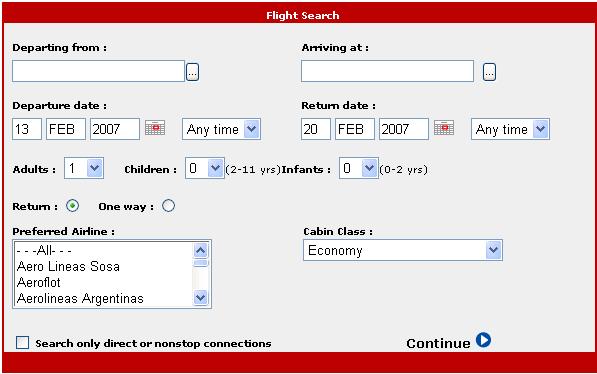
Flight fares can be searched by entering the airport codes. Departure airport,
arrival airport, departure and arrival date and time as well as number of
passengers are required fields.
|
|
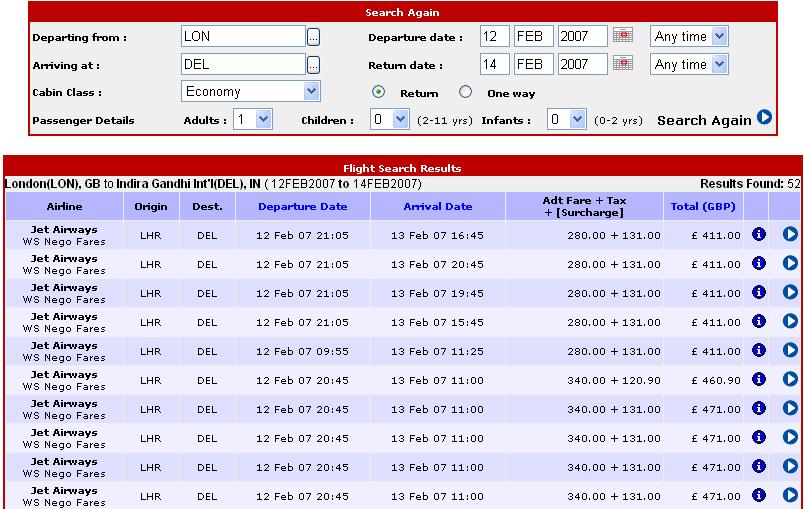
| Flight fares are retrieved from local database and then the
availability is checked in GDS and fares are also retrieved from GDS. Fares are
compared according to rules specified and then result is returned to the agent.
The agent can click on continue to confirm the selected itinerary.If the agent
is not satisfied with results, he has the oppurtunity to search for the results
again.
|
 |
|
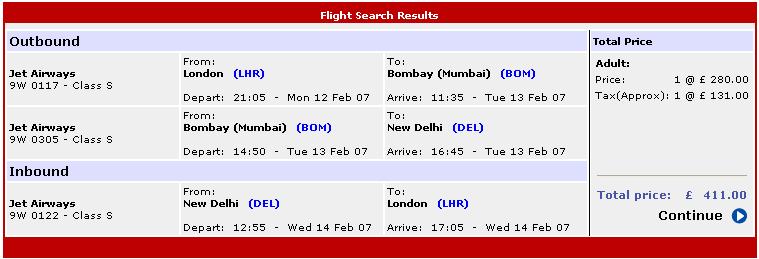
On clicking on a particular itinerary , will take the agent to the selected
itinerary page.This page will show all the details for that particular
itinerary.
|
 |
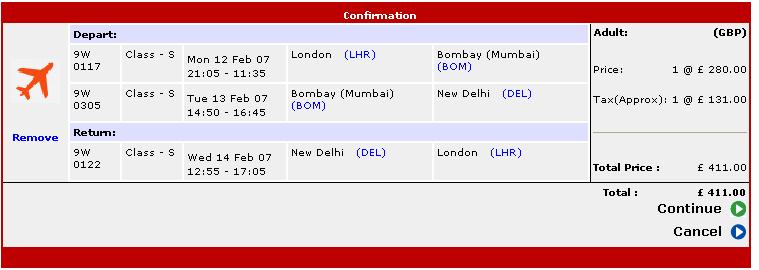
| The below screen is displayed after agent clicks the
'continue' link for the selected itinerary. All the details of the selected
itinerary are displayed. The transaction can be cancelled by clicking Delete or
Cancel.
|
 |
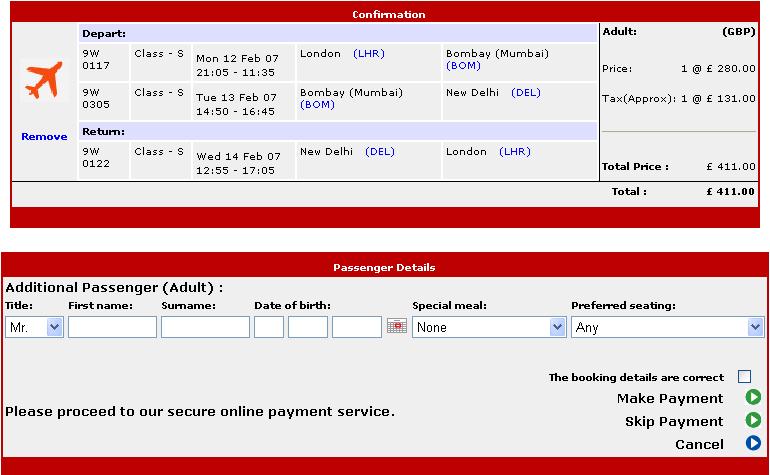
| Clicking on Continue will start the booking procedure. The
system will show the passenger details screen. The interface requires all the
fields regarding passenger info like first and surname, date of birth,
specialmeal and preferred seating(if any). User acceptance of all the details
entered is must by checking the checkbox and proceeding for the payment.
|
 |
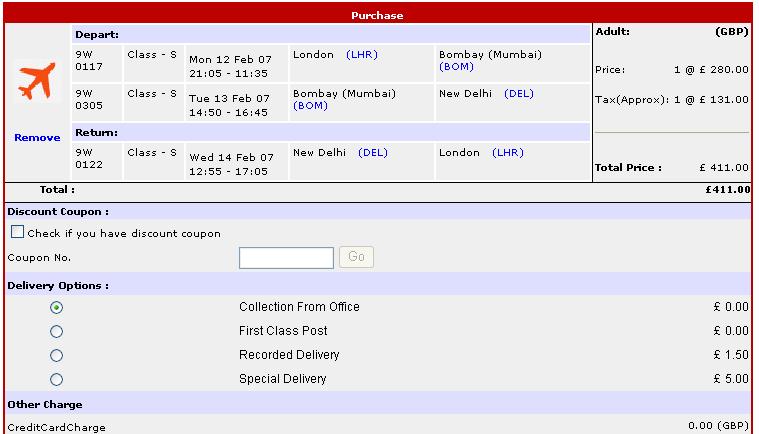
| Payment screen requires agent to provide information like
credit card details, delivery type, billing address, delivery address
(optional). If there are any discount coupon then the same should be mentioned
in this interface, selecting the type of discount coupon with the correct
coupon number.Clicking on ‘Book now’ will create a booking for the particular
itinerary. |
 |
 |